agent notifications
Agent notifications
Shows agent status and opens the workspace that sent the notification.
working → attention → done

 Flowmux
terminal
Native AI agent terminal workspace.
Run Claude Code, Codex, and OpenCode with terminal panes, browser control, and task signals.
Open source · Native · GPL-3.0
features
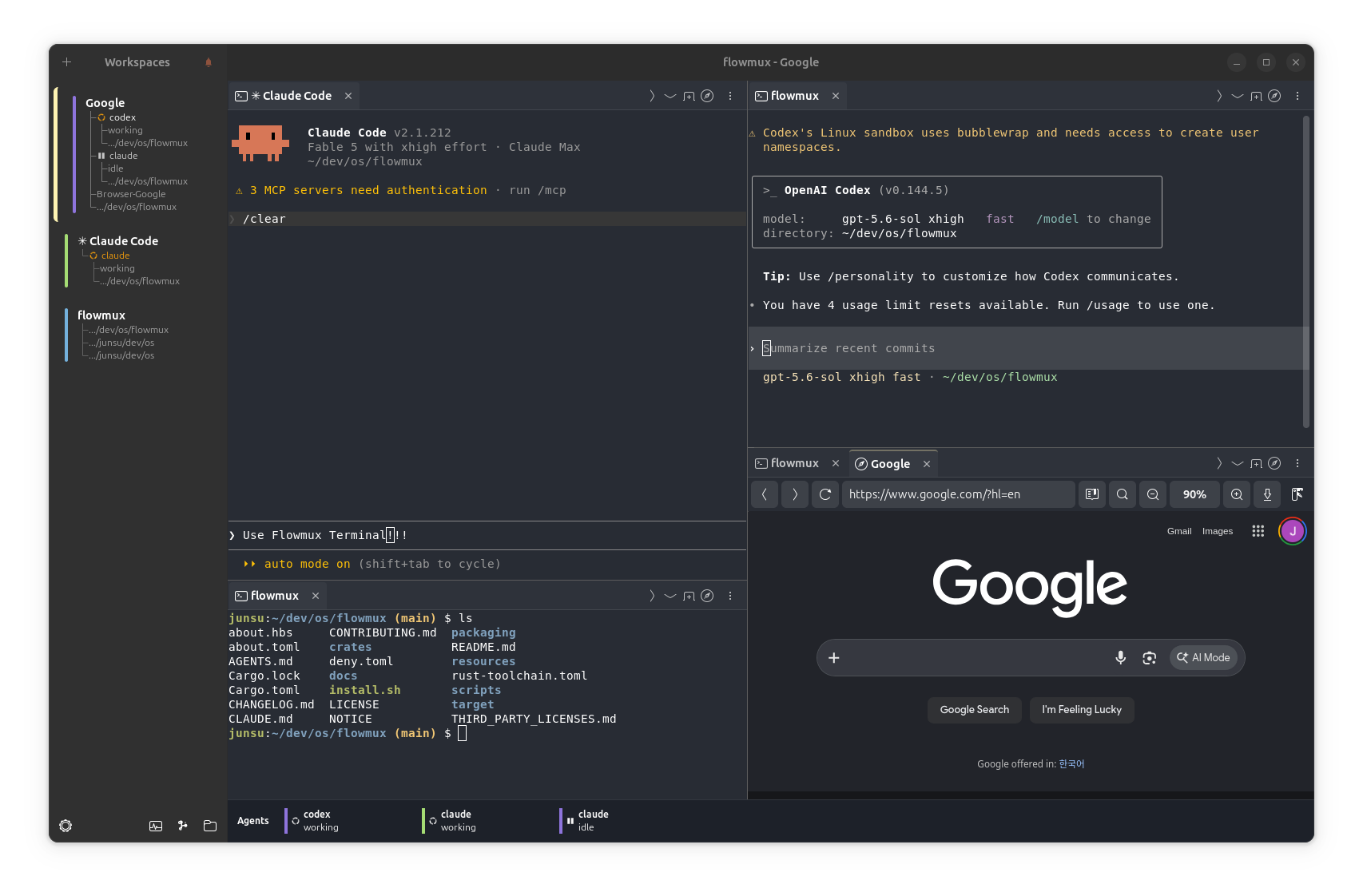
Browser control, agent signals, workspace views, themes, and file previews.
agent notifications
Shows agent status and opens the workspace that sent the notification.
working → attention → done
browser control
Agents can open, inspect, and control browser pages through the Flowmux CLI.
flowmux browser snapshot

workspace layout
Split the workspace and arrange terminal and browser tabs in each pane.
pane + tab + workspace

repository views
Browse repository files, manage worktrees, and open AI Usage to review agent token and activity totals.
files + worktrees

appearance
Choose a built-in theme or set terminal background, text, and cursor colors.
Options → Theme

file previews
Opens images, SVG, Lottie, and Markdown files in a pane.
image + animation + markdown


workspace
Keybindings, session recovery, navigation, usage, and browser state.
Rebinds shortcuts in Options and applies changes without a restart.
Restores layouts, terminal scrollback, tabs, and browser sessions.
Shows active agents and provides pane focus and stop controls.
Shows account usage limits from the Agent Bar.
Stores browser history, permissions, and downloads.
Opens workspaces, panes, tabs, commands, and files.